


Many churches unknowingly operate with a dangerous vulnerability: their entire media system depends on a single volunteer or staff member with specialized knowledge. The presentations run smoothly, and children's ministry videos play on cue... Until the day they do not.
This "single point of failure" creates significant ministry risks when that key person is unavailable due to illness, vacation, or leaves the church entirely. What seemed manageable suddenly becomes a crisis affecting multiple departments.
This article explores how to build resilience in your media ministry through simplified systems, distributed knowledge, and strategic technology investments that eliminate dependency on any single individual.
Key takeaways
- Most churches unknowingly depend on one person for their entire media system, creating a vulnerability that threatens ministry continuity when that individual becomes unavailable or leaves.
- Building resilience requires simplifying systems, distributing knowledge across multiple volunteers, and documenting processes so anyone can step in without specialized technical expertise.
- Strategic investments in intuitive platforms like Playlister reduce fragility by centralizing content management and eliminating barriers that prevent volunteers from confidently operating media systems.
The current reality in most churches
Sunday services increasingly rely on complex media systems, from presentation software to livestreams, yet technical knowledge remains concentrated in just one or two individuals. The gap between what technology can do and who knows how to make it happen continues to widen in congregations of all sizes.
The post-pandemic church landscape has accelerated technology adoption without necessarily distributing the technical expertise across multiple team members. Churches that never streamed before 2020 now manage multiple video platforms, while children's ministries that once relied on DVDs now navigate cloud-based curriculum systems, often with the same small team shouldering the entire technical load.
Most church leaders do not realize they are accepting this vulnerability because the system tends to work fine week to week. When everything is running smoothly, it is easy to miss the underlying fragility of depending on a single person's knowledge and availability. But what happens when that person cannot be there on Sunday morning?
The serious risks of single-person dependency
When your tech expert suddenly departs, critical knowledge about passwords, equipment settings, and weekend workflows disappears with them, causing immediate ministry disruption. The information rarely exists anywhere except in that person's memory, leaving the remaining team to piece together systems they never fully understood.
Churches that rely on one tech person often have no documentation, creating a situation where the remaining team must reverse-engineer systems during a crisis. What should be a straightforward transition becomes a stressful scramble to figure out which cables connect where, which account credentials unlock which systems, and why certain settings were configured in ways that now seem arbitrary.
Sudden absences due to illness or personal emergencies can leave children's ministry rooms without media, worship services without lyrics, and volunteers scrambling. When these disruptions occur, they simultaneously affect technical ministry aspects while undermining the entire experience you have worked to create for families and worshipers.
Recognizing over-dependence on a single person
No one else knows how to access all the necessary accounts, systems, or media libraries that keep your church technology running smoothly. The passwords might be written down somewhere, but understanding which account does what and how they interconnect remains a mystery to everyone except your tech person.
Troubleshooting problems requires waiting for a specific individual to become available, even for seemingly minor technical issues. A projector that will not display, a microphone with unexpected feedback, or a playlist that will not advance are all ministry obstacles that halt progress until that one person arrives.
Your current tech setup works, but nobody can explain exactly how everything connects together or why certain settings are configured as they are. The system functions as a black box that produces the desired results without anyone understanding the internal logic.
Tech volunteers feel inadequate or intimidated by the complexity of the systems, preventing them from taking initiative or learning new aspects. The psychological barrier this creates often proves more limiting than the actual technical difficulty, as capable volunteers convince themselves they lack the necessary expertise.
The hidden costs of technical vulnerability
The stress of dependency creates subtle pressure on your tech person to never miss a service, leading to potential burnout and resentment. What began as an opportunity to serve gradually transforms into an obligation that restricts personal freedom and creates guilt around normal life events like family vacations or sick days.
Unseen opportunity costs accumulate as ministry leaders avoid media-dependent initiatives due to concerns about technical support availability. Creative ideas for enhanced children's programming, special worship experiences, or community events get shelved not because they lack merit, but because executing them would require technical expertise that feels too scarce to risk.
What a truly resilient media system looks like
Resilient church media systems prioritize simplicity, accessibility, and reliability over complexity, helping multiple volunteers to operate core functions with minimal training. The goal is not to create tech experts but to design systems that do not require expertise for routine weekend execution.
Documentation exists for all critical systems, with step-by-step guides that assume zero previous knowledge for weekend execution of essential media tasks. These instructions acknowledge that volunteers might be running media for the first time during a crisis, giving enough detail to guide them through without overwhelming them with unnecessary technical background.
Rather than depending on one person's memory, passwords and critical information are securely stored in systems accessible to appropriate leadership. This organizational approach treats knowledge of check in the church as a ministry asset.
Media workflows are standardized and repeatable, allowing volunteers to follow clear processes rather than relying on institutional knowledge or technical intuition. When Sunday morning media preparation follows the same sequence each week, volunteers gain confidence through repetition rather than constantly adapting to unpredictable situations.
Building a sustainable church media foundation
Start with clear role documentation that separates specialized technical knowledge from basic operational functions that anyone can learn with proper training. This distinction helps you identify which aspects genuinely require expertise and which simply seem technical because they have never been properly explained.
Implement a "rule of three", which means guaranteeing at least three people know how to perform each critical media function for weekend services and children's ministry. Don't be stingy with your church tech jobs! This protects against both planned absences and unexpected emergencies in church employment while distributing the workload more equitably across your volunteer team.
Steps to build redundancy into your media ministry
Conduct a comprehensive audit of all media systems, creating an inventory of equipment, software, accounts, and the knowledge required to operate each component. This assessment often reveals surprising complexity that has accumulated gradually over time, with layers of workarounds and customizations that made sense individually but created collective confusion.
Develop a tiered training approach, starting with the most essential weekend functions before gradually expanding to more advanced technical capabilities. Volunteers need to master the basics with confidence before taking on more complex responsibilities, and attempting to teach everything at once typically results in teaching nothing effectively.
Schedule regular cross-training sessions where your primary tech person teaches others, creating specific opportunities for knowledge transfer rather than hoping it happens organically. Without dedicated time for training, the urgent demands of weekend preparation will always crowd out the important work of building team capacity.
Create a media emergency plan outlining exactly what steps to take if key personnel are unavailable, including contact information for external support if needed. This plan should be accessible to staff who might not normally interact with media systems, giving them a clear path forward during a crisis.
Effective training strategies for church media teams
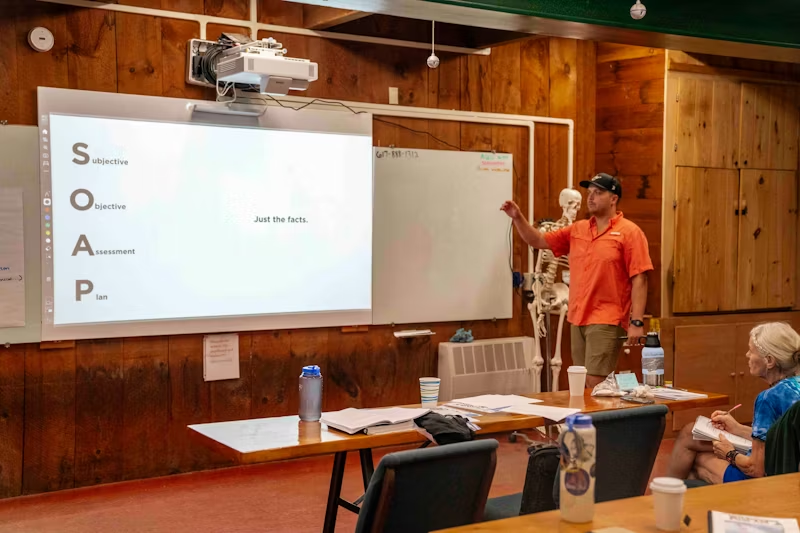
The most successful training approaches break complex systems into smaller, manageable chunks that volunteers can master one at a time without feeling overwhelmed. Learning to run Sunday morning media becomes less intimidating when it is presented as a series of simple steps rather than a monolithic technical challenge.
Recorded video walkthroughs often prove more effective than written documentation, allowing volunteers to follow along visually at their own pace. Watching someone navigate a software interface, connect equipment, or perform tasks delivers context that text alone struggles to convey, especially for volunteers who learn better through demonstration.
Practical hands-on training sessions during non-service times give volunteers low-pressure opportunities to practice before going live on Sunday mornings. The difference between understanding a process intellectually and executing it confidently comes from repeated practice in environments where mistakes do not carry ministry consequences.
Strategic media investments that reduce complexity
Instead of focusing solely on features, churches should evaluate technology purchases based on whether they simplify operations or add layers of complexity requiring specialized knowledge. The most impressive capabilities matter little if they create barriers that prevent volunteer participation and ministry sustainability.
Rather than chasing cutting-edge solutions, prioritize proven technology platforms with intuitive interfaces that volunteers of various technical abilities can navigate confidently. Mature platforms often have better documentation, more stable performance, and interfaces refined through years of user feedback.
Investment in standardization across multiple ministry environments creates efficiency and allows volunteers to serve in different areas without extensive retraining. When children's ministry, youth rooms, and main worship spaces use consistent systems, volunteers can apply knowledge gained in one context to serve effectively in another.
Centralized systems that deliver consistent experiences across multiple devices and locations minimize the learning curve for volunteers while maximizing ministry impact. Cloud-based platforms that sync content automatically eliminate the manual updates that traditionally required technical expertise and create opportunities for error.
How Playlister creates media resilience
Playlister's drag-and-drop simplicity allows anyone on your team to create and manage media playlists, eliminating the technical barriers that traditionally limit volunteer participation. The interface feels familiar to anyone who has organized files on their computer, removing the need for specialized training on complex media management software.
The platform's cloud-based architecture keeps all your media content accessible even if your primary tech person departs, protecting your ministry's continuity. Your curriculum videos, worship backgrounds, and announcement slides live in a centralized location that any authorized team member can access from anywhere with internet connectivity.
Auto syncing across all devices means volunteers no longer need to manually update content on individual computers, removing a common failure point in media systems. Changes made to a playlist immediately propagate to every Apple TV device in your church, keeping consistency without requiring volunteers to remember which rooms need updates.
Playlister's intuitive scheduling capabilities eliminate last-minute scrambling, allowing ministry leaders to prepare content well in advance without technical assistance. The ability to set up entire months of programming during a single planning session transforms media preparation from a recurring weekly task into a strategic monthly activity.
Implementing a resilient media system this summer
Summer months are an ideal opportunity to evaluate and restructure your media systems while service schedules are often lighter and more flexible. The reduced programming intensity gives your team breathing room to experiment with new approaches without the pressure of peak ministry seasons.
Begin with a collaborative assessment involving both technical and non-technical staff to identify the most vulnerable aspects of your current media workflow. The perspectives of volunteers who feel intimidated by current systems often reveal simplification opportunities that technical experts might overlook.
Create a realistic timeline for transitioning to more resilient systems, recognizing that sustainable change typically takes 2-3 months rather than happening overnight. Rushing implementation to meet an arbitrary deadline often recreates the same fragility you are trying to eliminate, just with different systems.
Test new systems thoroughly in non-critical settings before implementing them church-wide, gathering feedback from volunteers with varying technical comfort levels. A solution that works beautifully for your tech-savvy staff might still intimidate volunteers who represent your actual operational reality.
Building confidence from vulnerability
Do some of these problems sound familiar? Acknowledging your current vulnerability is not an admission of failure, but the first step toward building systems that serve your ministry for years to come. The journey to media resilience begins with honest assessment and intentional church tech system setup and planning, not with purchasing more technology or finding the perfect technical volunteer.
Take your first step toward sustainable media ministry today by booking a demo to see how Playlister can help your church thrive regardless of personnel changes.