


Churches today operate at a scale of digital complexity that would have been unimaginable two decades ago. Multiple services across different locations, concurrent ministry programs each with unique content needs, volunteer teams rotating through technical roles, all while managing sermon archives, kids' curriculum, social media clips, worship lyrics, and announcement slides. The sheer volume of media assets can overwhelm even well-organized ministries, creating a precarious situation where Sunday morning success depends on the personal knowledge of a few key volunteers.
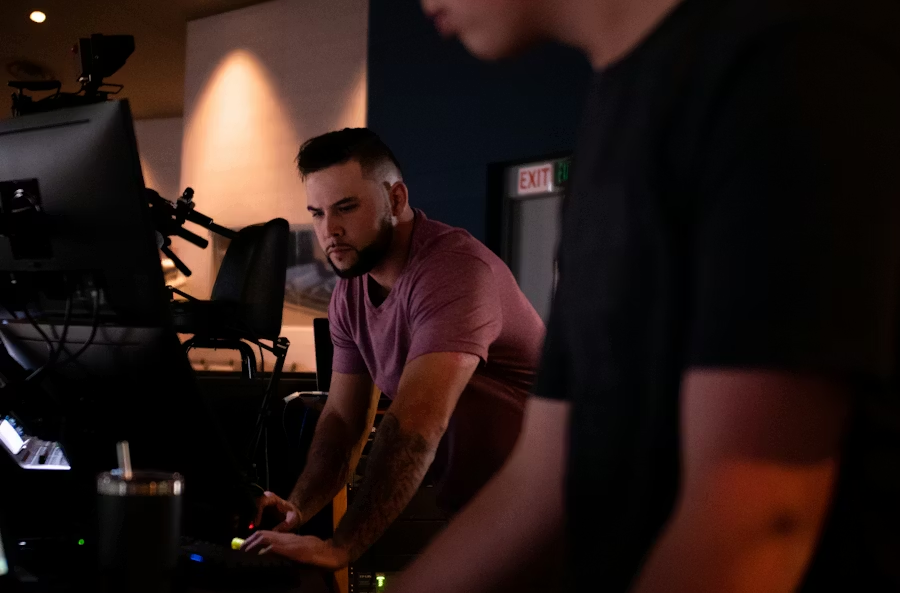
Walk into most church tech booths, and you will find evidence of this chaos: USB drives labeled with cryptic dates, scattered cloud folders that only one person knows how to navigate, and frantic text messages on Saturday night asking where last week's announcement slides went. Does this sound familiar? These ad-hoc solutions create fragility. When that one volunteer who "knows how everything works" moves away or steps down, institutional knowledge evaporates overnight.
Instead of ad-hoc approaches, think in terms of a "church media stack". An integrated system of technologies, processes, and people working together allows ministries to transform chaotic digital operations into streamlined workflows that reduce technical failures and empower volunteers. Modern churches are media organizations by necessity.
Understanding the six essential layers of media management provides a blueprint for identifying gaps and optimization opportunities within your ministry, turning digital stewardship from a source of Sunday morning stress into a strategic advantage.
Key takeaways
- A church media stack connects the tools, workflows, and people needed to deliver digital content across a ministry.
- Most churches already operate a media stack, but many layers are disconnected. This leads to lost files, duplicated work, and volunteer frustration.
- The modern church media stack includes six core layers: content sources, media storage, media organization, media delivery, volunteer interface, and accessibility.
- Strong media organization saves hours of volunteer time by making videos, graphics, and curriculum easy to locate and reuse.
- Volunteer-friendly systems are essential, since most church media environments are run by volunteers rather than technical staff.
A well-designed delivery layer guarantees the right content plays on the right screen at the right time, helping churches communicate consistently across classrooms, lobbies, and worship spaces.
Building a church media stack for digital ministry
The church media stack is an integrated system of technologies, processes, and people that work together to deliver content effectively across all church environments and platforms. Similar to how a "tech stack" defines a company's software infrastructure, a media stack provides a clear framework for a church's entire content workflow, from the moment you purchase a curriculum package or record a sermon to the instant it appears on a screen in front of your congregation.
A media stack extends beyond software. It encompasses defined workflows and clear roles for staff and volunteers to allow for smooth handoffs between teams. When the creative team finishes designing announcement slides, where do they go? Who converts them into the right format? How do they reach the lobby screen and the sanctuary projector simultaneously? These questions expose the connective tissue of your media stack, or reveal where that tissue has torn.
Many churches unknowingly operate with incomplete or disconnected media stacks, leading to workflow bottlenecks, volunteer frustration, and inconsistent ministry experiences. A well-designed media stack creates natural handoffs between teams, reducing the technical knowledge required from volunteers while improving reliability and consistency. More importantly, a functional stack prevents institutional knowledge loss when a key tech volunteer moves away or steps down from their role. The system persists beyond individual expertise.
Thinking in terms of a media stack is a form of digital church stewardship, where the time and money invested in creating and purchasing content yields the maximum ministry impact. Auditing your current media processes against the six-layer framework reveals immediate opportunities for efficiency gains without necessarily requiring additional budget. You might discover that your storage layer is solid but your delivery layer creates unnecessary friction, or that your content sources are excellent, but your organizational layer leaves volunteers scrambling every Saturday night.
Layer one: Content sources and the foundation of your media ministry
Content sources include both externally purchased curriculum, such as Orange, RightNow Media, or LifeWay, and internally created media assets such as sermon videos, announcement slides, and worship lyrics. This foundational layer determines what raw materials flow into your entire system. Internal content sources are diverse, ranging from sermon recordings, worship lyric backgrounds, to volunteer training videos, and ministry-specific announcements. External sources can include children's curriculum packages, stock video and photos for creative elements, or presentation files from guest speakers.
To fully integrate into the overall media workflow, livestreaming and social media have introduced a significant dimension to content creation and repurposing. Churches with mature media stacks typically maintain a careful balance of external and internal content sources to meet varied ministry needs without overwhelming production teams. The temptation to create everything in-house often leads to burnout among creative staff, while relying exclusively on external sources can make your ministry feel generic and disconnected from your local context.
A common challenge is managing the inconsistent file formats, resolutions, and aspect ratios from different sources, which can cause playback issues downstream. One curriculum provider delivers 1080p MP4 files, another sends 720p MOV files, and your creative team exports slides as PowerPoint files with embedded fonts that do not render correctly on other computers. The most common breakdown in church media systems occurs when content source decisions are made without considering how materials will flow through subsequent layers of the stack.
A unified approach to content intake allows ministry leaders to vet material for theological alignment and brand consistency before it enters the system. Does this video align with our teaching philosophy? Do these slides match our visual standards? Answering these questions at the source layer prevents awkward last-minute discoveries on Sunday morning. A content audit revealing exactly what sources your church uses, who manages each, and their delivery formats creates clarity that prevents downstream technical issues. You might discover you are paying for three different stock media subscriptions when one would suffice, or that your children's ministry and student ministry are purchasing curriculum from providers whose file formats require completely different playback systems.
Layer two: Media storage to create a central source of truth
Modern churches require a centralized storage solution that serves as the "source of truth" for all digital assets, eliminating version confusion and preventing lost files. When multiple team members need access to the same content, a single authoritative location becomes essential. Is this week's announcement slide the one in the shared drive, the one someone emailed on Tuesday afternoon, or the updated version the pastor texted from his phone on Wednesday evening? Without a clear answer, you are operating on hope rather than system design.
Cloud-based storage solutions like Google Drive, Dropbox, and Microsoft OneDrive have largely replaced physical media and local network drives, enabling multi-campus consistency and remote management. Local storage on physical hard drives carries significant risks, including drive failure, theft, or physical damage, which can lead to the permanent loss of valuable ministry assets. The hidden costs of disorganized storage include wasted volunteer hours searching for files, re-purchasing lost assets, and duplicating work already completed by another team.
Without a central source of truth, outdated announcement slides or old versions of branding can easily resurface, causing confusion and presenting an unprofessional image. Storage systems must balance accessibility for volunteers with appropriate permission structures that prevent accidental deletion or modification of critical media assets. Churches with effective media stacks implement clear file naming conventions and folder structures that make navigation intuitive even for first-time volunteers. A filename like "2026-03-16_Announcements_Final_v3_UPDATED.pptx" signals organizational chaos, while "2026-03-16_Announcements.pptx" in a dated folder structure signals intentional design.
A mature storage layer includes a strategy for archiving old content, such as sermon series from five years ago, to keep the active library clean and performant. This layer must integrate with organization and delivery tools to prevent becoming a "digital junk drawer" where assets are stored but never found or used again. The storage layer should answer one fundamental question: where does every piece of media content live, and how do authorized users find it quickly?
Layer three: media organization turning content into usable resources

Media organization transforms raw content into scheduled, sequenced experiences that align with ministry objectives and service planning across all church environments. Having files stored in the right place is necessary but insufficient; you also need to know what plays when, in what order, and for which specific service or room. This layer elevates media files with important metadata, such as tags, descriptions, and categories, making them searchable and easily discoverable for volunteers and staff.
The organizational layer typically involves planning tools like Planning Center, ProPresenter templates, or specialized curriculum management systems that create order from content chaos. Creating standardized playlists or templates for different service types dramatically speeds up weekly preparation. A "Standard Sunday Service" template might include a pre-service countdown, welcome video, three worship song lyric slots, a sermon video placeholder, offering announcement, and closing slides, all pre-sequenced so volunteers only need to drop in this week's specific content.
This layer often involves integrating pre-organized content packages from curriculum providers like Orange into the church's broader weekly service plans. Without proper organizational systems, churches waste countless volunteer hours repeatedly rebuilding presentations, playlists, and instead of focusing on ministry relationships. A well-organized system allows ministry leaders to quickly find and repurpose past content, such as pulling a relevant sermon clip from two years ago for a social media post.
The organization layer should clearly answer the question, "What media do we need for this specific service, in this specific room, at this specific time?" Effective organization creates a bridge between high-level ministry planning and practical on-the-ground implementation, reducing miscommunication and last-minute changes. When your children's director plans a four-week series, the organizational layer protects your church against a Week 3's curriculum video accidentally playing during Week 2's service because someone clicked the wrong folder.
Layer four: Media delivery and content distribution
The delivery layer manages how organized content actually reaches various screens throughout your church facilities, from main worship spaces to classrooms, lobbies, and digital signage. This is where theory meets reality, where carefully prepared playlists either display flawlessly or fail spectacularly in front of a live audience. This layer must be reliable enough to handle multiple media formats across diverse environments, from lobby announcement loops to kids' classroom curriculum videos.
Traditional delivery methods using USB drives or local computers create significant reliability issues and require extensive technical training, limiting volunteer participation. A key function of a modern delivery system is the ability to schedule content in advance, allowing teams to prepare for services days or weeks ahead of time. Centralized control allows a single staff member to update content across an entire campus from one dashboard, saving hours of walking around to manually update individual screens.
Effective delivery systems separate the task of content preparation from presentation, allowing volunteers to simply press "play" on a pre-loaded, verified playlist. The ultimate test of a delivery layer is whether it just works on Sunday morning, giving volunteers confidence and removing technology as a source of stress. Solutions like Playlister transform delivery by centralizing control while distributing content to any screen equipped with simple devices like Apple TVs, eliminating technical complexity.
Using affordable, consumer-grade hardware like Apple TVs lowers the barrier to entry and cost for churches looking to upgrade their delivery infrastructure across multiple rooms. The most effective delivery systems enable last-minute content updates to be pushed immediately to all screens without requiring physical presence in each room. When the pastor decides at 9:45 AM to add an announcement to the 10:00 AM service, your delivery layer should make that possible without sending someone sprinting across campus with a USB drive.
Layer five: Volunteer interfaces making technology human-friendly
The volunteer interface layer determines how easily non-technical team members can control media playback, troubleshoot issues, and manage content during services or events. A great interface is predictable and repeatable. The process for playing media in a preschool room should be identical to the process in a fifth-grade room. Churches frequently overlook this important layer, inadvertently creating systems that require specialized knowledge and extensive training that most volunteers simply do not have.
Complex interfaces create a bottleneck, limiting the pool of potential volunteers to only the most tech-savvy individuals in your congregation. The interface is the "last mile" of your media stack; its failure or complexity can render the other five layers useless during a live service. You might have perfect content sources, pristine storage, clear organization, and reliable delivery, but if the volunteer standing in the kids' classroom cannot figure out how to start the video, none of that infrastructure matters.
Simple, intuitive interfaces like Playlister's remote control app reduce training time from hours to minutes, allowing volunteers to focus on ministry rather than technology. An intuitive interface dramatically reduces volunteer onboarding time, addressing a key pain point for ministry leaders who are constantly training new team members. The goal is to make operating media so straightforward that volunteers can focus on building relationships with attendees, not troubleshooting a computer.
Look for interfaces that minimize the number of clicks required to start a presentation, as every extra step is a potential point of failure for an untrained user. The best volunteer interfaces incorporate visual confirmation, standardized controls across rooms, and built-in help resources that empower users to solve common problems independently. When a volunteer can walk into any room in your building and immediately understand how to operate the media system, you have succeeded at this layer.
Layer six: Accessibility and inclusive content

The accessibility layer addresses how media content can be adapted for individuals with differing needs, languages, or technological access levels, both in person and online. For example, video captions serve the hearing impaired, ESL families, children learning to read, and anyone watching in noisy environments like lobbies. Accessibility also means keeping text on slides as large, high-contrast fonts that are legible from the back of the room for those with visual impairments.
Churches with mature media stacks incorporate closed captioning, language options, and adaptive technologies as standard practices rather than special accommodations. For multilingual congregations, a mature accessibility layer might include providing real-time translation feeds or pre-translated versions of key media assets. Digital ministry accessibility extends beyond physical spaces to consider how content reaches homebound members, multisite locations, and online audiences consistently.
Adding searchable captions or transcripts to your media storage can also make sermon content more discoverable for staff looking for specific topics later on. Accessibility planning includes contingency systems for technical failures, helping ministry to continue running smoothly even when primary systems experience problems. What happens if the main sanctuary projector fails? Can you quickly pivot to an alternative display method, or does the entire service grind to a halt? The accessibility layer acknowledges that perfect systems do not exist and builds resilience into your media infrastructure so that technical problems become minor inconveniences rather than ministry-ending catastrophes.
A recap of the church media stack
To understand how modern churches manage digital media effectively, it helps to view the system as six connected layers working together. Each layer supports the next, creating a complete workflow from content creation to screen delivery.
Content Sources
Church media begins with the content itself. This can include curriculum provider videos, sermon recordings, worship lyrics, announcement videos, volunteer training materials, and educational content from platforms like YouTube. Most churches pull from multiple sources, which makes consistent management essential.
Media Storage
Once created or collected, media needs a reliable place to live. Many churches use cloud tools like Google Drive or Dropbox, along with archived sermon libraries or video platforms. Organized storage prevents files from being lost, duplicated, or forgotten over time.
Media Organization
Storing content alone isn’t enough. Churches must organize media using folders, playlists, tags, captions, and clear naming systems so volunteers can quickly find the right files when they’re needed.
Media Delivery
This is the layer where content actually reaches screens. Delivery platforms allow churches to schedule playlists, update displays remotely, and manage screens across classrooms, lobbies, and worship spaces.
Volunteer Interface
Because volunteers run most church media systems, tools must be intuitive and predictable. Simple playback systems reduce training time and help volunteers operate confidently.
Accessibility
Finally, modern church media should be accessible to everyone. Features like captions, clear visuals, and readable text ensure content can be understood by diverse audiences, including ESL attendees and people with hearing impairments.
Implementing your optimized church media stack
Most churches benefit from a phased implementation approach that prioritizes fixing the weakest layers first rather than attempting a complete system overhaul. Start with a simple audit: ask volunteers where they get their content, how they prepare it for Sunday, and what goes wrong most often. These conversations reveal pain points that spreadsheets and budget meetings never surface. Cross-functional teams, including ministry, technical, and volunteer perspectives, consistently build more effective media stacks than information technology-only or ministry-only approaches.
Regular quarterly audits of your media stack help identify emerging friction points before they become major ministry disruptions or volunteer frustrations. Building a future-proof media stack means choosing flexible, scalable solutions that can grow with your ministry, from a single campus to multiple sites. The future of church media stacks increasingly involves integration between systems, with solutions like Playlister connecting the delivery layer seamlessly with organizational and volunteer interface layers.
Ready to experience smooth sailing Sunday services? Book a demo today and see how Playlister can help you level up your ministry operations.