


Most churches already have screens somewhere in the building, whether that is in the lobby, in classrooms, at check-in, or in the worship space. Over time, those screens start taking on different jobs. One may carry announcements, another may support curriculum, and another may help people find where they need to go. The hardware is often already in place long before anyone starts thinking of it as a digital signage system.
That is usually where the gap begins. A church can have several useful screens and still lack a clear plan for what each one should do, what content belongs there, and how that content gets updated from week to week. Without that structure, screens tend to become inconsistent. Some stay current, some get overlooked, and some end up showing content that no longer matches the moment or the room.
Church digital signage works best when it is approached as part of a wider communication system. With the right strategy, screens can help churches share announcements clearly, guide people through the building, support volunteers, and keep ministry communication more consistent across different spaces. Keep reading to explore how church digital signage works, where it fits, and what it takes to build a system that supports ministry well.
Key Takeaways
- Church digital signage works best when it is treated as a system. Screens become more useful when placement, content, scheduling, delivery, and maintenance are planned together.
- Most churches already have the hardware. The bigger challenge is deciding what each screen should do and how it should support communication across the building.
- Different rooms need different messages. A lobby display, a classroom screen, and a volunteer room monitor should not all carry the same content.
- Strong signage content is clear and quick to process. Welcome messaging, event promos, directional reminders, and volunteer updates usually work better than text-heavy slides.
- A good delivery workflow matters as much as good content. Screens are easier to trust when updates are centralized, scheduling is clear, and playback does not depend on repeated manual steps.
- Outdated or poorly matched content weakens the system. People pay attention to church screens when the messaging feels current, relevant, and tied to the room they are in.
- Church digital signage supports ministry operations. It can improve clarity for guests, reduce confusion for families, and help volunteers start with the right information.
What Church Digital Signage Actually Is
Church digital signage is the use of screens to display scheduled visual content across different ministry environments. In practical terms, that means a church is using screens to communicate information in a way that is timely, visible, and tied to a specific space. The content may change by room, by audience, or by time of day, but the goal stays the same: helping people see the right message in the right place at the right time.
That can include a wide range of content. A lobby screen may carry welcome messaging, service times, and event promotions. A classroom screen may display curriculum media or visual cues for volunteers. A check-in area may show directions, reminders, or next steps for families. A volunteer room may use a screen for team communication, preparation notes, or schedule reminders. In each case, the screen is serving a communication function that supports ministry operations.
This is what separates digital signage from a screen that is simply turned on. A church projection screen used during worship is part of the larger media environment, but digital signage usually refers to screens that deliver ongoing communication outside a single presentation moment. It is less about one-time display and more about repeatable, room-based messaging. The screen itself matters, but the real value comes from the system behind it: what content is shown, where it appears, how often it updates, and who it is meant to help.
Where Digital Signage Fits Inside a Church
Digital signage works best when it is tied to a clear setting and a clear purpose. Churches use screens in many different spaces, but each space serves a different function. A screen in the lobby does not need the same content as a screen in a kids' classroom, and a volunteer room should not communicate in the same way as a worship space. Once churches start thinking room by room, digital signage becomes easier to plan and much more useful in practice.
Lobbies and Welcome Areas
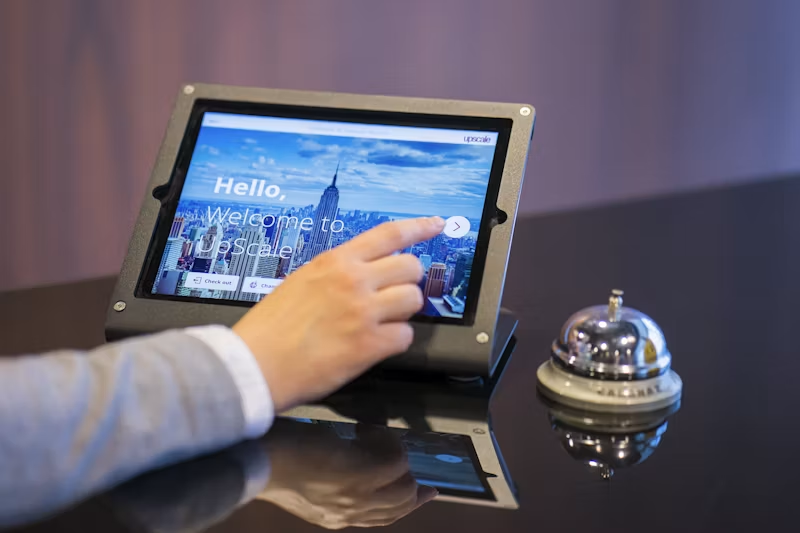
Source/Alt text: Someone checking in on a church lobby tablet.
Lobby screens are often the most visible part of a church’s signage system. They help shape first impressions, reinforce key announcements, and keep important information in front of people as they arrive. This is usually the right place for welcome messaging, service times, event promotions, giving campaigns, and next-step content. Because these areas are high-traffic and fast-moving, the content needs to be simple, readable, and easy to absorb at a glance.
Check-In and Family Ministry Spaces
In family ministry environments, screens often serve a more practical role. Parents may need reminders about pickup, age-group locations, or ministry announcements. A check-in area may benefit from directional messaging, seasonal reminders, or updates that help families move through the space with less confusion. These screens support flow and clarity, especially during busy arrival windows when staff and volunteers are already managing a lot of interaction.
Kids Classrooms
Classroom screens are often tied directly to content delivery. They may be used for curriculum videos, worship tracks, lesson support, or visual cues that help volunteers lead the room with more confidence. In this setting, digital signage overlaps with teaching support. The value comes from having the right content ready at the right moment, without extra setup or uncertainty once families have already arrived.
Volunteer Rooms and Staff Areas
Volunteer rooms and staff spaces benefit from screens that reinforce communication before service begins. That might include serving reminders, schedule notes, room assignments, process updates, or simple encouragement for the team. These environments do not need highly polished content as much as they need content that is timely and clear. A screen in a volunteer room can help everyone start with the same information before they move into their roles.
Worship Spaces and Overflow Areas
In worship environments, screens often support pre-service communication, announcement loops, message support, and overflow needs. A main room may use screens differently from a hallway monitor or overflow display, but each still plays a part in the wider communication system. When these spaces are planned well, they help keep the experience aligned from one environment to the next.
The main takeaway is that church digital signage works best when each screen has a defined role. The goal is not to show the same content everywhere. It is to match the message to the room, the audience, and the moment.
The 5 Parts of an Effective Church Digital Signage System
A church digital signage system works best when it is built with clear structure behind it. A screen on the wall can display content, but a system makes that content intentional, timely, and dependable across the week. For most churches, effective signage comes down to five connected parts: screen strategy, content strategy, scheduling, delivery, and ownership. When those pieces work together, screens become much easier to manage and much more useful in ministry.
1. Screen Strategy
The first part of the system is screen strategy. Churches need to decide where screens belong, what role each one plays, and who it is meant to serve. A screen in a lobby is usually there to welcome, inform, and guide. A classroom screen is more likely to support lesson delivery or volunteer confidence. A volunteer room screen may exist to reinforce communication before service begins. Each screen needs a clear purpose tied to its environment.
This matters because placement affects usefulness. A screen that is visible but poorly matched to the space will not communicate well, even if the content itself is strong. Churches benefit from asking simple questions at this stage: Who will see this screen? What do they need in this moment? How long will they have to read it? Those answers shape how the screen should be used and what kind of content belongs there.
A strong screen strategy also keeps churches from treating every display the same way. The goal is not to fill every screen with identical messaging. The goal is to give each screen a role that supports the wider communication system.
2. Content Strategy
Once the role of each screen is clear, the next step is content strategy. Churches need to decide what kind of content belongs on their signage and what should be left out. Strong digital signage content is usually short, visual, and tied to a specific purpose. It helps people understand what matters in that moment without asking them to stop and read too much.
For churches, this often includes welcome messages, event promotions, service times, directional reminders, volunteer updates, check-in information, classroom support, and pre-service announcement loops. The exact mix will vary by room, but the key is clarity. A signage screen is not a bulletin board for every detail the church wants to share. It is a communication tool that works best when content is selective and easy to process.
This is also where many churches lose effectiveness. Screens become overcrowded, messages stay up too long, or every display starts carrying the same rotating slides without much thought to who is actually looking at them. A good content strategy protects against that by linking content to audience, setting, and timing.
3. Scheduling
Scheduling is what helps digital signage stay relevant. Even strong content loses value if it appears in the wrong place or at the wrong time. Churches need a system for deciding when content runs, how long it stays active, and which rooms should receive which messages. This becomes especially important when the same building supports multiple ministries, multiple services, or weekday activity outside Sunday morning.
A lobby screen may need one set of content before service and another between services. A classroom screen may need lesson media during one block of time and simpler holding content before volunteers arrive. A volunteer room may need reminders that only matter for a short window before teams head into service. Scheduling helps churches match content to the moment rather than leaving everything to manual updates.
It also reduces the pressure of Sunday morning itself. When content is scheduled ahead of time, teams do not need to build every playback sequence in the moment. The work has already been planned, which creates more consistency and less room for avoidable mistakes.
4. Delivery System
A signage strategy also needs a delivery system. Content has to move from planning to screen in a way that is reliable and easy to manage. This is where churches often feel the gap between having digital content and being able to use it well. A team may have the right slides, videos, or messages, but if getting them onto screens takes too many steps, the system quickly becomes harder to sustain.
A strong delivery system gives churches more centralized control over how content is deployed. Instead of depending on separate manual setups in different rooms, teams benefit from a process that makes updates easier to send, easier to check, and easier to trust. That becomes even more important as the number of screens grows. One or two screens can sometimes run on informal habits. A wider church signage system usually cannot.
Delivery is also what connects signage strategy to real ministry use. A screen only helps if the right content shows up when it is needed. For that reason, the delivery system should support consistency, reduce extra handoff, and make playback simple enough for volunteers or ministry leaders to manage with confidence.
5. Ownership and Maintenance
The final part of the system is ownership and maintenance. Churches need clarity on who updates signage, who reviews it, and how content stays current over time. Without ownership, screens often drift into inconsistency. One display stays active while another becomes outdated. Event promos remain on screen after the event has passed. Messaging loses relevance, and people gradually stop paying attention.
A healthy signage system depends on regular care. That does not mean every screen needs constant attention, but it does mean there should be a process for reviewing content, removing what is no longer useful, and keeping key messages aligned with the current ministry calendar. When ownership is clear, signage stays more accurate and more trusted across the building.
This also protects the overall credibility of the system. People pay attention to screens when the content feels current and intentional. They ignore them when the messaging feels stale or disconnected from what is actually happening. Maintenance may seem like a small operational detail, but it plays a major role in whether digital signage continues to support communication well over time.
Taken together, these five parts create the structure that turns scattered screens into a true church digital signage system. Screen placement, content planning, scheduling, delivery, and ownership all shape whether signage feels helpful or inconsistent. The churches that use digital signage well are usually the ones treating it as a system with clear roles, clear processes, and clear purpose.
What Content Works Best on Church Screens
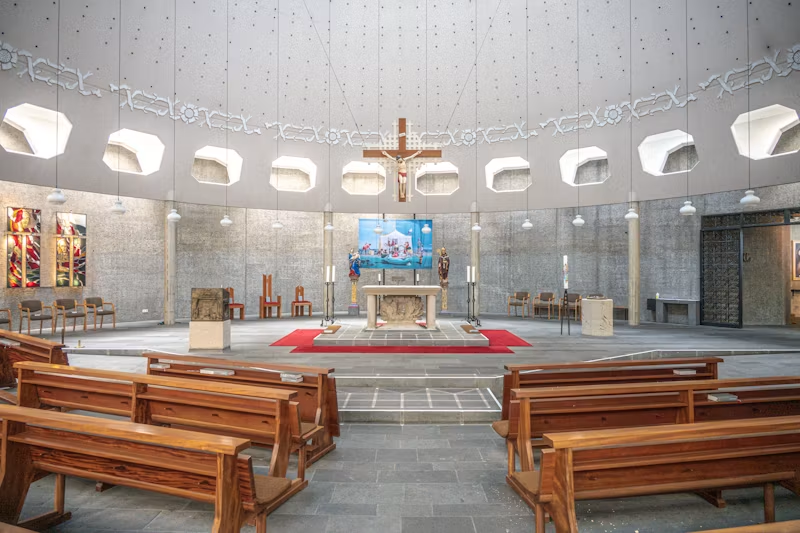
The content that works best on church screens is usually the content people can understand quickly. Most viewers are moving through a lobby, checking in children, arriving for service, or preparing to volunteer. They are rarely standing still for long, which means digital signage needs to communicate in a clear and immediate way. When a screen tries to do too much, people often stop noticing it. When the message is focused, the screen becomes much more effective.
Welcome messaging is one of the strongest uses for church digital signage. A screen near the entrance can help people feel oriented as soon as they arrive, especially when it reinforces service times, next steps, or a simple sense of direction. Event promotions also work well when they are timely and visually clear. Rather than trying to explain every detail, a strong event slide usually highlights one main point and gives people a reason to pay attention.
Directional messaging is another good fit, especially in larger buildings or family ministry spaces. Parents may need help finding check-in, guests may need help locating a class or meeting point, and volunteers may benefit from reminders tied to the room they are serving in. In those environments, signage helps reduce friction by answering practical questions before someone has to ask them.
Screens can also support volunteer training and ministry teams directly. A volunteer room display might show serving reminders, timing notes, or key updates for the day. A classroom screen may carry lesson media, visual cues, or content that helps volunteers lead the room with more confidence. In each case, the screen is doing its best work when it supports the needs of that specific environment.
What tends to work less well is content that feels crowded, text-heavy, or too broad. Church screens are strongest when the message is brief, visual, and suited to the amount of time people actually have to absorb it. The most useful question to ask is simple: what does someone in this space need to know right now?
Common Church Digital Signage Mistakes
- Adding screens without a clear system
- Showing the same content in every room
- Using slides with too much text
- Letting content go out of date
- Leaving ownership unclear
- Relying too much on manual updates
Where Playlister Fits
Once a church has a clearer signage strategy, the next challenge is execution. Screens need the right content, in the right room, at the right time, and that process has to stay manageable across the week. This is where Playlister fits.
Playlister supports the delivery side of church digital signage by helping teams schedule and push content to screens through a more consistent workflow. That is especially useful in ministry environments where the same team is already managing curriculum, volunteers, announcements, and weekly preparation. When content delivery is easier to organize, the church can spend less time on manual playback and more time focusing on the message each screen needs to communicate.
This is valuable in classrooms, lobby displays, volunteer rooms, and other spaces where content needs to stay current without creating extra setup work. Features like drag-and-drop playlists, centralized scheduling, and volunteer-friendly playback help reduce friction across different rooms and different users.
Playlister does not create the communication strategy for church signage. It helps churches carry that strategy out more smoothly. Its role is to make content delivery simpler, clearer, and easier to manage as signage becomes part of the wider church media system.
When the Right Screen Shows the Right Message
Churches already use screens in more places than they often realize. The real opportunity is not simply to add more displays, but to use the ones already in place with greater clarity and purpose. A strong church digital signage system helps each screen support the room it is in, the people it serves, and the message that matters in that moment.
That is why digital signage works best when it is treated as part of a wider communication system. Screen placement, content strategy, scheduling, delivery, and maintenance all shape whether signage feels helpful or inconsistent. When those pieces are aligned, churches communicate more clearly, support volunteers more effectively, and create a smoother experience across the building. Families move through check-in with fewer questions, volunteers begin with clearer direction, and guests encounter messaging that feels timely and intentional.
The goal is not to fill every screen with more information. The goal is to make communication more useful. Churches that do this well are usually the ones giving each screen a clear role and backing it with a workflow that keeps content current. Over time, that kind of structure turns scattered displays into a dependable ministry tool. Church digital signage works best when the right screen shows the right message. See how Playlister could help.